
How to Recover a TikTok Account: The Complete 2026 Guide for Hacked, Suspended, or Deleted Accounts
The 2026 Step-by-Step Guide to Regain Access After Being Hacked, Suspended, or Locked Out—Plus Essential Security Tips to Stay Safe

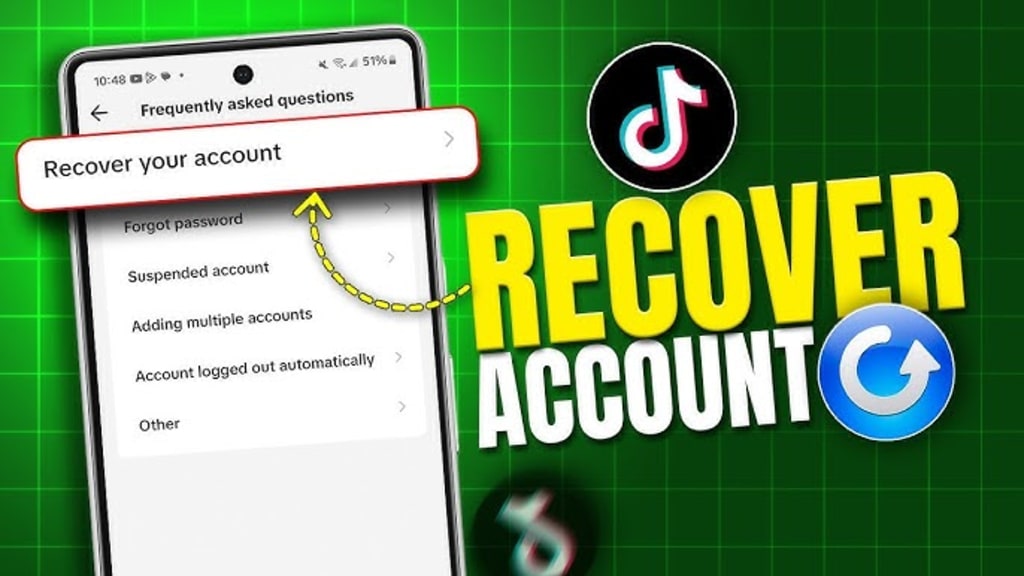
Losing access to your TikTok account can feel like losing a part of your digital identity. Whether you are a casual user with cherished memories or a creator who has spent years building a community, a sudden lockout is stressful. With over a billion active users, TikTok accounts are prime targets for hackers, and automated moderation systems can sometimes make mistakes.
This comprehensive guide acts as your expert recovery roadmap. Based on professional cybersecurity analysis and official TikTok procedures, we will walk you through every method to recover your account, whether it has been hacked, suspended, or permanently banned. We will also cover essential protection techniques to ensure you never lose access again.
Get TikTok Access
PASS UNLOCKER is a certified AI-powered application designed to recover TikTok account passwords. It can access even the most complex passwords and log into accounts—whether private, old, or linked to a username, phone number, or email—in just minutes. The tool uses advanced algorithms for real-time data interception and cryptographic decryption, operating silently without alerting the account owner. For authorized use only.
Download PASS UNLOCKER from its official website: https://www.passwordrevelator.net/en/passunlocker

Part 1: Diagnose the Problem: Why Can't You Log In?
Before you can fix the issue, you need to understand what type of problem you are facing. The recovery path for a forgotten password is very different from that of a permanent ban.
1. Sign of a Hacked Account:
If your password suddenly stops working, or you notice strange activity (videos you didn't post, DMs you didn't send, or a changed bio), your account has likely been compromised. Hackers often change the linked email and phone number immediately to lock you out.
2. Sign of a Suspension or Ban:
If you try to log in and see a message like "Account Banned" or "Account Suspended", TikTok’s moderation team has restricted your access. This usually happens due to violations of the Community Guidelines, such as posting inappropriate content, copyright strikes, or spam behavior.
3. Sign of a Deleted Account:
If you voluntarily deleted your account but changed your mind, or if TikTok removed it permanently, you have a limited window for recovery. TikTok keeps deleted accounts in a "pending" state for 30 days before permanent deletion.
Part 2: How to Recover a Hacked TikTok Account (Under 10 Minutes)
When a hack occurs, speed is your greatest ally. If you act quickly, you can often reclaim your account in minutes. Follow this exact sequence:
Step 1: Initiate the Password Reset
1. Open the TikTok app and tap "Log in".
2. Tap "Forgot password?" on the login screen.
3. Enter your username, email address, or phone number associated with the account.
Step 2: Choose a Verification Method
TikTok will send a verification code to the email or phone number on file. If the hacker hasn't changed these yet, you are in luck.
• Check your SMS or Email: Enter the code you receive.
• Create a Strong Password: Use a unique, complex password (12+ characters with symbols and numbers) that you don't use anywhere else.
Step 3: What If the Hacker Changed Your Email and Phone?
If your recovery info is gone, you must prove your identity to TikTok.
1. Go to the TikTok Help Center (support.tiktok.com).
2. Search for "Report a problem" and navigate to "Account and Profile" > "I can't log in."
3. Select the option about a changed email/phone number.
4. Submit Proof of Ownership: Be ready to provide a photo of your government ID, screenshots of your previous activity, or receipts from any in-app purchases (TikTok coins). This is the most effective way to prove you are the rightful owner.
Expert Tip: Before doing anything else, secure the email account linked to your TikTok. If a hacker controls your email, they can intercept recovery codes and lock you out again instantly.
Part 3: How to Appeal a Suspended or Banned Account
If your account was disabled by TikTok, it is not necessarily gone forever. Statistics show that first-time violations have a 40-50% success rate for recovery through appeal.
Method A: The In-App Appeal (For Temporary Suspensions)
If you can still access the app but are restricted:
1. Go to your Profile and tap the three-line menu (top right).
2. Select "Settings and privacy" > "Report a problem".
3. Tap "Account and profile" > "Profile page" > "Other".
4. Select "Still have a problem" and write your appeal.
Method B: The Direct Appeal (For Permanent Bans)
If you are completely locked out, you must submit a formal appeal:
1. Visit the TikTok Help Center in a web browser.
2. Navigate to "Report a Problem" and find the "Account appeal" section.
3. Fill out the form with your Username, Email, and Phone number.
4. Write a compelling appeal letter. Be polite, concise, and honest. Admit any mistakes and explicitly state your commitment to following the Community Guidelines in the future.
Sample Appeal Template:
"Dear TikTok Support, I am appealing the suspension of my account @[username]. I believe my account was flagged for [reason], but this was a misunderstanding because [provide context]. I have reviewed the Community Guidelines and understand the rules. I respectfully request a review and hope to be given another chance to be a positive member of the TikTok community."
What Happens Next?
TikTok typically takes 3 to 7 business days to respond to appeals, though complex cases can take up to 30 days. Do not submit multiple appeals, as this resets your place in the queue and slows down the process.
Part 4: How to Recover a Deleted Account (The 30-Day Rule)
Did you delete your account and want it back? TikTok offers a 30-day grace period.
1. Open the TikTok app and try to log in with the credentials of the deleted account.
2. You should see a prompt saying: "Your account is scheduled for deletion."
3. Tap "Cancel Deletion" and follow the on-screen instructions.
If more than 30 days have passed, the data is likely permanently erased. Your only, albeit slim, chance is to contact TikTok Support with proof of ownership as described in Part 2, Step 3.
Part 5: Fortify Your Defenses: The Creator's Security Checklist
Recovering your account is only half the battle. To prevent this from happening again, implement these expert-recommended security measures immediately.
1. Enable Two-Step Verification (2FA) Immediately
This is the single most effective security measure. It ensures that even if someone has your password, they cannot log in without a second code.
• How to enable: Go to Profile > Menu > Settings and privacy > Account > Security > Two-step verification.
• Best Practice: Use an Authenticator App (like Google Authenticator or Authy) rather than SMS. Authenticator apps are immune to SIM-swapping attacks, where hackers hijack your phone number.
2. Use Passkeys (Biometric Login)
TikTok now supports passkeys. This allows you to log in using your device's face recognition or fingerprint, which is phishing-resistant and much more secure than a password. Find this in the same Security menu.
3. Review Active Devices and Apps
Hackers often leave backdoors.
• Go to Settings and privacy > Security > Manage devices. Remove any phone or computer you don't recognize.
• Check "Manage app permissions" to disconnect any suspicious third-party apps that promise followers or views, as these are often data stealers.
4. Utilize TikTok's "Security Checkup"
In 2025, TikTok introduced a dashboard called Security Checkup. This tool guides you through reviewing your recovery methods, login alerts, and connected devices all in one place. Use it regularly.
Frequently Asked Questions (FAQ)
Q: How long does it take to get a response from TikTok support?
A: For a password reset, it is instant. For account appeals, the average wait time is 7-14 days. During high-volume periods, it can extend to 4 weeks.
Q: Can I recover my account if I forgot my email and phone number?
A: This is difficult but possible. You must visit the TikTok Help Center and provide proof of identity (like an ID photo) and proof of account ownership (screenshots, device info) to verify you are the legitimate owner.
Q: What happens if my appeal is rejected?
A: If your appeal for a permanent ban is rejected, the success rate for further appeals drops to 5-10%. You can try one final, more detailed appeal, but you should also prepare to start fresh. Be aware that creating a new account on the same device or IP address might link it to your banned account, risking immediate suspension.
Q: Should I warn my followers if I was hacked?
A: Absolutely. If the hacker posted scam links or sent strange messages, your followers are at risk. Post a video (once you regain access) or a story on other platforms letting people know not to click on anything sent during that period.
Conclusion
Losing access to your TikTok account is a frustrating experience, but it is rarely the end of the story. By acting quickly and following the official, structured recovery paths outlined in this guide, you have a high statistical chance of regaining control. Whether you are facing a hack, a suspension, or a simple forgotten password, the key is to be patient, provide accurate information, and prove your ownership.
Once you are back in, take the time to lock down your account with two-factor authentication and regular security checkups. In the digital age, proactive protection is your best defense.
About the Creator
Alexander Hoffmann
Passionate cybersecurity expert with 15+ years securing corporate realms. Ethical hacker, password guardian. Committed to fortifying users' digital safety.
Keep reading
More stories from Alexander Hoffmann and writers in Lifehack and other communities.
The Anatomy of a Hack: Modern Password Cracking Techniques and Defensive Strategies in 2026
The Evolving Battle for Digital Identity Passwords remain the primary gatekeepers to our personal, professional, and financial lives. However, the methods cybercriminals employ to bypass these protections have evolved dramatically. As we navigate 2026, hacking techniques have become more sophisticated, leveraging artificial intelligence, quantum computing concepts, and advanced social engineering. This article explores the current state of password hacking and provides actionable strategies to fortify your digital defenses.
By Alexander Hoffmannabout a month ago in Lifehack
You're alone, because you're lost
Being alone is a fear that one in three adults face WORLDWIDE. Why? Are we scared to be alone because we are faced with all of our thoughts we once tried to suppress? Or are we scared because we feel uncomfortable? Uncomfortable with the idea of being in a room with just you. You and your nasty thoughts. Thoughts like “Damn I should've apologized”, or “Why hasn't he texted me back?” or “I am a failure”. Yea. those thoughts. The forbidden thoughts that come sneak by the midnight hour, ...if you're lucky. You see loneliness doesn't have to be this way. It all starts with you.
By C⃣ h⃣ a⃣ n⃣ e⃣ l⃣6 days ago in Lifehack




Comments
There are no comments for this story
Be the first to respond and start the conversation.